
What is FMX Hunter?

we publish one QR offer every day until June 1
the first person to accept the offer receives 1 FMX
the claim must be confirmed with a screenshot / reply
How to scan
install App Sage Wallet
open the QR as large as possible
make sure the camera lens is clean
keep the screen bright
on June 1, 2026, we announce the top three FMX Hunters with the most confirmed FMX catches.
Prizes
1st place: 10 FMX
2nd place: 5 FMX
3rd place: 3 FMX
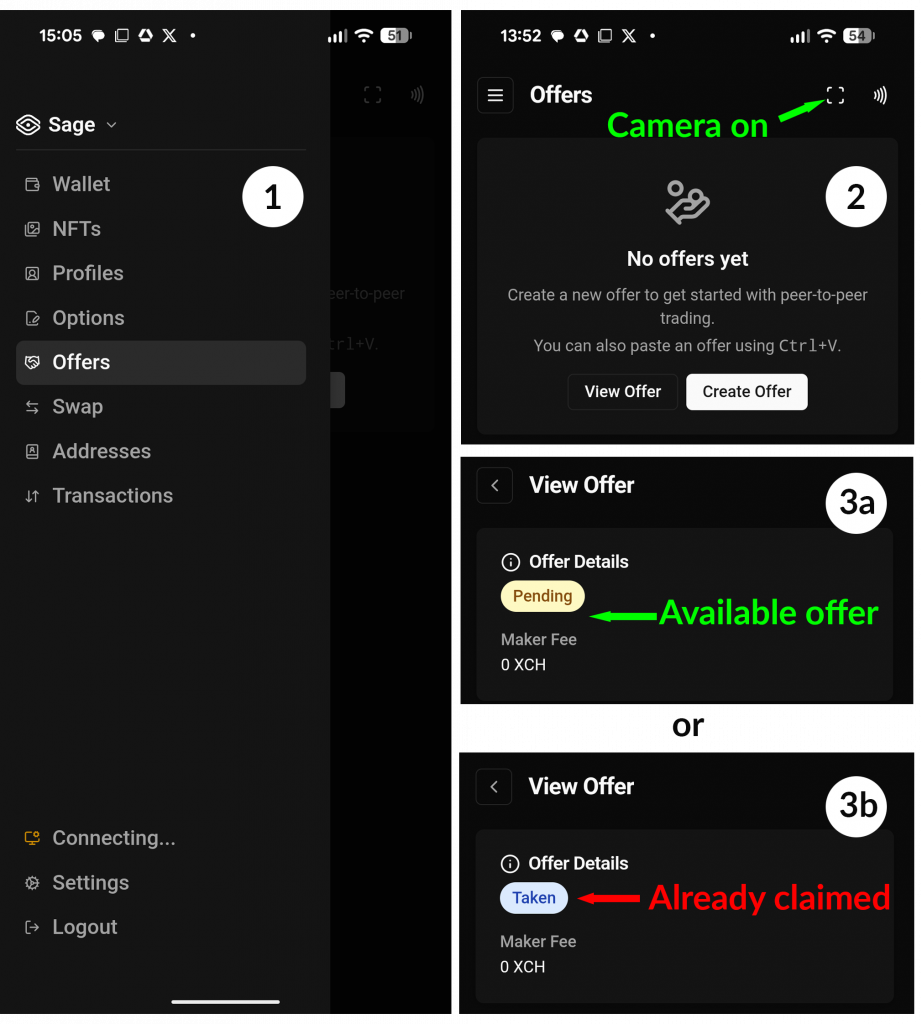
Quick Guide: How to Check an Offer in Sage Wallet
1. Open Offers in Sage Wallet.
2. Turn on the camera scanner and scan the QR code.
3a. If the offer status is Pending, the offer is still available.
3b. If the offer status is Taken, the offer has already been claimed by someone else.
Scan only today’s QR code. Old QR offers are most likely already claimed, so there is almost no chance to find an available offer there.
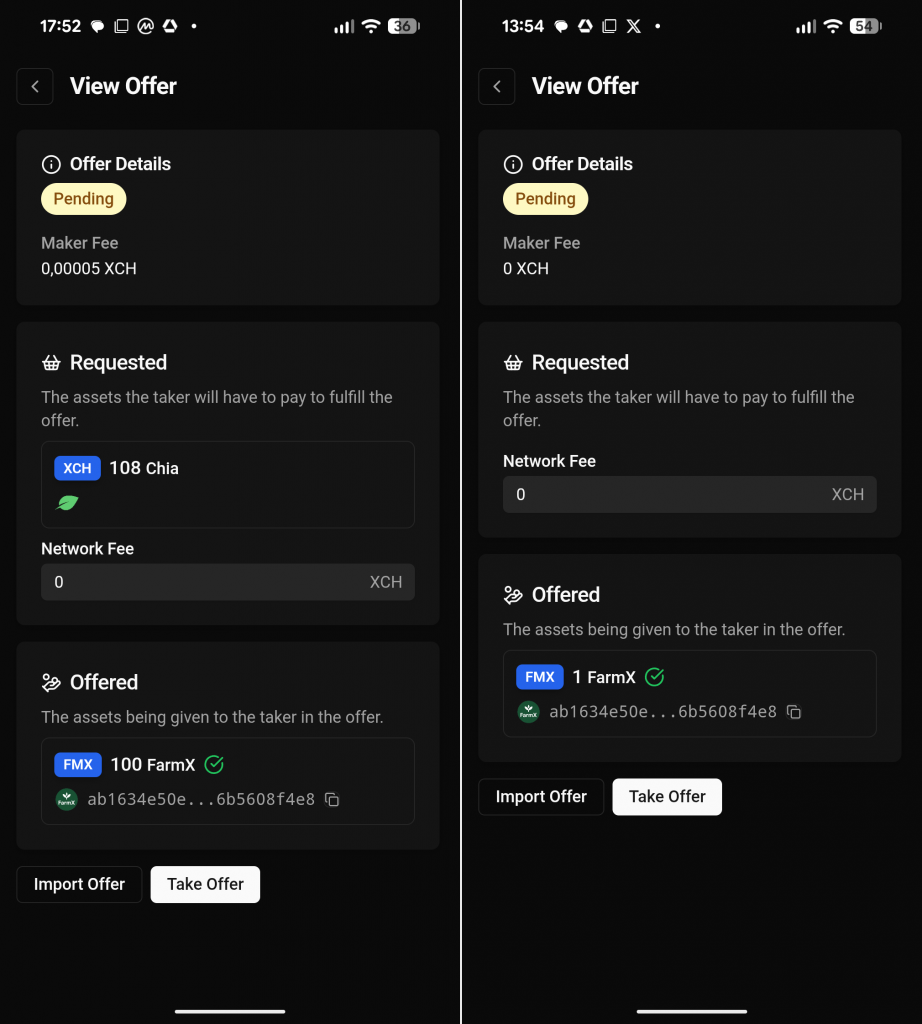
How to tell a trade offer from a gift offer
Left: Trade offer
The Requested section shows 108 XCH. The Offered section shows 100 FMX. This means: you pay XCH and receive FMX.
Right: Gift offer
The Requested section shows no asset, only Network Fee: 0 XCH.
The Offered section shows 1 FMX.
This means: you receive 1 FMX for free.
Simple rule:
- Trade offer = an asset appears in Requested
- Gift offer = no asset appears in Requested
| QR Date | Confirmed Hunter | Confirmation |
| May 04 | @sunsetxu | Confirmed by screenshot |
| May 05 | @sunsetxu | Confirmed by screenshot |
| May 06 | ||
| May 07 | ||
| May 08 | ||
| May 09 | ||
| May 10 | ||
| May 11 | ||
| May 12 | ||
| May 13 | ||
| May 14 | ||
| May 15 | ||
| May 16 | ||
| May 17 | ||
| May 18 | ||
| May 19 | ||
| May 20 | ||
| May 21 | ||
| May 22 | ||
| May 23 | ||
| May 24 | ||
| May 25 | ||
| May 26 | ||
| May 27 | ||
| May 28 | ||
| May 29 | ||
| May 30 | ||
| May 31 |